
Understanding TradingView for Kenyan Traders
📈 Discover how TradingView supports Kenyan traders with smart charts, technical indicators, and community insights to sharpen stock, forex, and crypto decisions.
Edited By
James Carter
For Kenyan traders, getting a handle on TradingView charts can make a huge difference when it comes to succeeding in the financial markets. TradingView offers a clear window into price movements and market trends, helping you make decisions with confidence rather than guesswork.
These charts serve as the backbone of technical analysis, showing you price action over time through different chart types like candlesticks, line, and bar charts. Unlike typical graphs, they are interactive and packed with features such as indicators, drawing tools, and alert settings that allow traders to customise their view to match their strategy.
TradingView is popular among Nairobi stock investors tracking NSE equities, forex traders following major currency pairs, and even those dabbling in cryptocurrencies. Its cloud-based platform means you can access your charts from a desktop or on mobile using Safaricom’s data bundles, so you’re not tied down to your office or home.
A good chart isn’t just about pretty visuals – it’s a tool that tells the story of the market and helps you spot entry and exit points clearly.
Most Kenyan traders appreciate how TradingView supports integrations with local trading platforms, enabling smooth trade execution directly from the chart. This saves time and reduces errors, especially when the market moves fast.
You can also set price alerts via SMS or email, useful for staying updated without constantly refreshing your screen during a busy day juggling matatu rides and office work.
Mastering TradingView means knowing how to read different chart types, applying technical indicators like moving averages or RSI (Relative Strength Index), and using drawing tools for support and resistance levels. Getting comfortable with these features turns raw price data into actionable insights.
In this article, we’ll take you through all these essentials step-by-step, with practical tips tailored for Kenyan traders. Whether you trade equities listed on NSE, forex, or bitcoin, understanding TradingView charts will sharpen your edge and save you hours of unnecessary research.
Let’s start by looking closely at the types of charts and what each reveals about price movements.
Getting started with TradingView charts is the first step for any Kenyan trader aiming to make smart decisions in the financial market. Before diving into complex analysis, understanding how to set up your account and navigate the platform is key. TradingView provides a reliable space where you can view real-time data, spot trends, and plan trades effectively — this foundation alone can save time and reduce costly errors.
Signing up on TradingView is straightforward and free for basic users, which suits most beginners or casual traders in Kenya. Simply provide an email address or use social sign-ons, then verify your account through email. This quick setup opens access to a range of markets, from NSE stocks to global forex pairs. For instance, a Nairobi-based trader can start tracking Safaricom or Equity Bank shares right away. Having a TradingView account also means you can save your chart layouts and indicator settings — no need to reconfigure every time.
Navigating the TradingView interface is practical once you get familiar with the layout. The homepage gives you quick access to popular market symbols, your watchlist, and newsfeed tailored to your selections. The chart window is central, with options to zoom, scroll, or switch between daily and intraday data. Kenyan traders can customise the view, say switching to a 15-minute timeframe when tracking volatile NSE stocks during market hours. Navigation feels intuitive, so you won’t waste time figuring out where tools or menus are.
Accessing free and premium charts on TradingView depends on your needs. The free version grants access to most chart types, basic indicators, and up to one alert, which is ample for a beginner or casual trader. However, for those handling large portfolios or trading frequently, premium plans unlock multiple indicators, real-time data, ad-free experience, and more alert options. For example, a forex trader focusing on the USD/KES pair might benefit from premium features to get alerts on tiny price movements vital for scalping strategies.
Timeframes and candlestick basics define how you read price movements. Timeframes range from one minute to monthly views, letting you adjust the perspective based on your trading style. Candlesticks are the most common chart type; each ‘‘candle’’ reflects the open, close, high, and low within the chosen timeframe. For instance, a daily candlestick for KCB shares shows price action throughout that day, helping you spot buying or selling pressure easily.
Price axis and volume bars give key context. The price axis (usually on the right) shows current and historical prices, which automatically adjust as you zoom in or out. Volume bars at the chart’s bottom display trading activity; high volume on a price jump suggests strong interest, while low volume might point to weak moves. Kenyan traders use this info to confirm market trends, like high volume during NSE market rallies.
Toolbar and navigation panel provide essential charting tools and quick access to settings. The toolbar includes drawing tools such as trendlines or Fibonacci retracements, which help in technical analysis. In the navigation panel, you can save charts, load indicator templates, or change chart types fast. Efficient use of these tools means you spend less time searching and more time analysing.
Starting out with TradingView charts means building your own trading toolkit step by step. The platform’s user-friendly design helps Kenyan traders grasp market movements practically and with confidence.
Understanding the different chart types on TradingView helps traders choose the right visual tool to read market movements effectively. Each chart type has unique features and suits different trading strategies. For Kenyan traders, knowing when and how to use candlestick, bar, line, or Heikin Ashi charts can sharpen analysis, improving decision-making in volatile markets like equities listed on the Nairobi Securities Exchange (NSE) or commodity prices.
Candlestick charts display four key data points per trading period: open, high, low, and close prices. Each candle shows the price range and direction—whether buyers or sellers were dominant. The body’s colour (often green for price rises, red for falls) provides quick visual cues on market sentiment. Thanks to their detailed structure, candlestick charts offer Kenyan traders insight into daily price behaviour, helping spot reversals or strong trends in NSE stocks like Safaricom or Bamburi Cement.
Bar charts also show open, high, low, and close prices but differ in presentation. While bars present vertical lines with small horizontal ticks to mark open and close, candlesticks use filled bodies that make it easier to interpret momentum visually. Bar charts can appear less intuitive, especially for beginners, yet they offer a clear look at price ranges and extremes. In day-to-day trading, candlesticks tend to be favoured for their readability, whereas bar charts may suit traders who prefer less visual clutter or focus on specific price points.
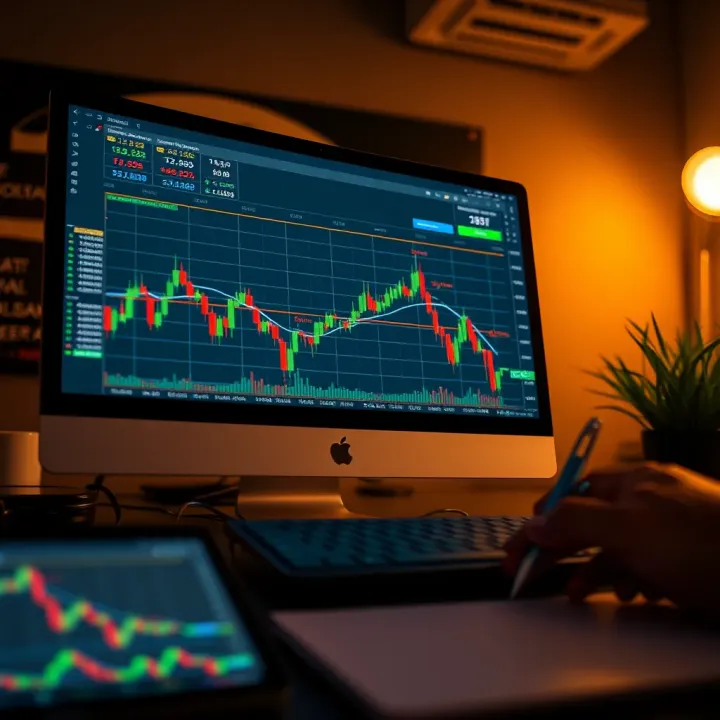
Candlestick charts work best when you want to quickly grasp market momentum and spot patterns like engulfing candles or dojis, common in Nairobi's occasional volatile trading days. Bar charts are useful when precise price levels matter, such as during detailed intraday analysis for forex or commodity futures. Both chart types provide critical information, but candlesticks offer a richer narrative at a glance, making them ideal for most retail traders starting out in Kenya.
Line charts connect closing prices over the chosen timeframe using a single line. Though simple, this clean view helps traders identify the overall market trend without the noise of intraday fluctuations or volatility spikes. Kenyan traders monitoring longer-term trends, like agricultural commodity prices or real estate stocks, can benefit from this straightforward approach to spot uptrends or downtrends clearly.
Heikin Ashi charts tweak the price data to average the prices, producing smoother candles that filter out some of the market noise. As a result, trends appear clearer and short-term volatility looks less dramatic. For example, a trader following the maize market or banking sector stocks might find Heikin Ashi useful to avoid reacting hastily to minor price swings while focusing on sustained moves.
Short-term traders who need sharp, detailed signals usually opt for candlestick charts due to their rich data display. Conversely, swing traders or long-term investors may prefer Heikin Ashi or line charts, which simplify trends and reduce distractions. Kenyan investors trading on mobile or with limited time could use Heikin Ashi charts for easier interpretation, while active day traders might combine candlestick charts with other indicators for precise entry and exit timing.
Choosing the right chart type isn’t about fancy visuals, but understanding what tells you the clearest story for your trading style and market focus.
This knowledge allows traders in Kenya’s diverse financial markets to tailor their analysis, improving trade outcomes and reducing costly mistakes.
Technical indicators and overlays form the backbone of many trading strategies on TradingView, especially for Kenyan traders seeking to read market trends accurately. These tools analyse historical price and volume data to help predict future movements, giving you a clearer edge when making decisions on equities, forex, or commodities. By layering these indicators on your charts, you gain quantitative insights that cut through the noise, helping identify entry and exit points more effectively.
Moving averages smooth out price fluctuations to reveal underlying trends. For instance, the 50-day and 200-day moving averages are widely used by Kenyan traders to spot upward or downward momentum. When a shorter moving average crosses above a longer one—a signal called a "golden cross"—it often suggests a buying opportunity. Conversely, a "death cross" may hint at selling pressure.
The Relative Strength Index (RSI) measures market momentum by comparing recent gains to losses. An RSI above 70 typically indicates an overbought condition, suggesting prices might soon pull back, while an RSI below 30 points to oversold territory, signalling a potential bounce. For traders in Nairobi’s stock market or commodity exchanges, combining moving averages with RSI can provide a balanced view of trend strength and possible reversals.
The Moving Average Convergence Divergence (MACD) indicator helps track changes in momentum by comparing two moving averages of different lengths. When the MACD line crosses above its signal line, it can be a green light to buy; crossing below often signals selling. Kenyan traders often use this to time trades in fast-moving assets like forex pairs or NSE-listed stocks.
Bollinger Bands, meanwhile, consist of a moving average surrounded by upper and lower bands based on volatility. When price touches the upper band, the market might be overextended; touching the lower band suggests possible support. Bollinger Bands help traders gauge whether a currency pair like USD/KES or commodities like tea leaves are about to reverse or keep their trend.
Volume indicators track the number of shares or contracts traded, shining a light on market interest behind price moves. High volume on price increases usually confirms strength, while rising prices during low volume may caution against false breakouts. Support and resistance levels—price points where assets tend to halt or reverse—are critical in Kenyan markets to set realistic buy or sell targets.
For example, if Safaricom stock keeps bouncing back near KSh 40, that marks a support level. If it repeatedly fails to rise above KSh 45, that’s resistance. Using volume spikes to confirm these zones can greatly improve timing.
TradingView allows layering several indicators on one chart, which gives you a richer picture of conditions. Kenyan traders often combine moving averages, RSI, and volume indicators to reduce reliance on a single signal. However, too many indicators can clutter the chart and give conflicting information, so it’s wise to choose a handful that complement each other.
Default indicator settings might not suit every market or timeframe. For instance, shorter-term traders focusing on forex pairs like EUR/KES might prefer moving averages with periods of 10 or 20 rather than the standard 50. Adjusting settings helps tailor indicators to the asset’s behaviour and your trading style, improving signal reliability.
Once you’ve found a setup that works, TradingView lets you save it as a template. This saves time and keeps your analyses consistent across different charts. Kenyan traders managing diverse assets—from NSE stocks to forex and commodities—benefit by quickly applying trusted indicator combinations without starting from scratch every time.
Using and customizing technical indicators properly can make a big difference in trading success, especially in dynamic markets like Kenya’s. Skillful application turns raw price data into actionable insights that fit your personal trading style.
Drawing tools and chart annotations play a significant role in making TradingView charts more insightful for traders. Kenyan traders, especially those navigating volatile markets like NSE or commodities, use these tools to highlight key patterns, levels, and potential trade setups. By marking important price movements and levels directly on the charts, traders can better visualise their strategies, avoid distractions, and make clear, informed decisions.
Trendlines connect successive highs or lows on a chart to illustrate the overall direction of price movement. For example, an upward trendline drawn by joining higher lows shows a bullish market bias, so traders might look for buy opportunities near this line. Channels add parallel lines to trendlines, marking both support and resistance zones. In Kenya's forex or equities markets, spotting channels can help identify consolidation areas and potential breakouts, which is crucial for timing entries.
Fibonacci retracements are horizontal lines that indicate potential support and resistance levels based on the Fibonacci sequence. Traders use these to estimate how far a price correction might retrace before continuing in the original direction. For Kenyan traders following stocks like Safaricom or East African Breweries, plotting Fibonacci levels on recent price swings helps predict pullback zones to watch for entry or exit points. It brings a mathematical approach to assessing market corrections instead of relying on guesswork.
Adding text notes or shapes like arrows and rectangles allows traders to label important events or signals. For instance, a trader marking a breakout from a resistance level with an arrow and text note makes it easier to recall the rationale behind a trade when reviewing charts later. Shapes can highlight zones of interest such as accumulation or distribution areas. These annotations help keep chart analysis structured and readable, especially when tracking several assets simultaneously.
Drawing tools are essential for spotting chart patterns such as head and shoulders, double tops, or triangles. These patterns often signal trend reversals or continuation, which traders use to anticipate future price moves. In Kenya’s dynamic commodity markets like coffee and tea, recognising these patterns early can improve timing and risk management. Marking them clearly with trendlines or shapes reduces the chance of missing critical trade signals.
Precision in marking where to enter or exit a trade can mean the difference between profit and loss. Traders often use annotations to mark their planned entries at support levels or after indicator confirmations. Similarly, exit points get marked near resistance or stop-loss levels. For Kenyan traders, especially in fast-moving forex pairs, having clear visual cues on charts helps avoid hesitation and emotional mistakes during market swings.
Maintaining clean and organised charts is vital for effective analysis. Overcrowding with too many lines and notes can confuse rather than clarify. Kenyan traders benefit from using different colours for separate elements, grouping relevant drawings, and removing outdated annotations regularly. Organised charts speed up decision-making, making it easier to track multiple trades or assets without overwhelming the screen.
Good chart annotations transform TradingView from mere visual data into a personalised trading plan that guides actions and records insights. For Kenyan traders serious about improving results, mastering these drawing tools is a practical step towards consistent success.
Staying on top of market movements is key for any trader, especially in the fast-moving environment of stock or forex trading. Setting alerts on TradingView helps Kenyan traders monitor price changes and indicator signals without having to watch the charts all day. This feature saves time and ensures you don't miss important trade opportunities, which is essential when markets can shift within minutes.
To set an alert on TradingView, first select the price level or indicator you want to monitor. You can right-click on a specific price point on the chart or on an indicator line and choose "Add Alert." From there, define the condition for the alert, such as price crossing a certain value or an indicator reaching overbought levels. Customising the alert parameters lets you tailor notifications according to your trading strategy, whether short-term scalping or longer-term trend following.
TradingView offers various alert types including price reaches above/below a level, crossing specific moving averages, or RSI hitting a threshold like 70 or 30. These alerts can trigger once or repeat based on your needs. For example, if you're tracking the NSE 20 Share Index and want to know when it breaks above 1800 points, setting this alert helps you act immediately instead of constantly checking the chart.
Timely alerts give you the edge to enter or exit trades at the right moments. Instead of sitting stuck in front of your laptop, you can get push notifications on your phone or email as prices or technical indicators change. This is especially useful for Kenyan traders juggling other duties or those trading multiple assets. An alert can also prevent emotional decision-making by sticking to predefined triggers, leading to better discipline and improved outcomes.
Connecting TradingView with Kenyan brokers amplifies your trading efficiency. Some brokers operating locally, like Nairobi Securities Exchange (NSE) licensed firms, allow API integration or direct order placement through TradingView. This synchronisation eliminates delays caused by switching between platforms, enabling smooth execution once an alert signals a trading opportunity.
Alongside brokers, using TradingView with popular mobile payment platforms such as M-Pesa adds convenience for funding your trading account or receiving profits. Many Kenyan traders handle deposits and withdrawals through M-Pesa, so keeping alerts and trades coordinated on mobile apps streamlines the whole process. This combination means your trading decisions are supported by practical, everyday tools you already use.
Synchronising alerts across multiple devices keeps you in the loop regardless of where you are. For instance, if you check your chart at a cybercafé using a desktop but then move with your phone to a boda boda ride, the alerts you've set continue to notify you seamlessly. TradingView’s cloud-based system ensures real-time updates on all devices logged into your account, making sure you never miss a critical market move wherever you are in Kenya.
Setting precise alerts and linking them with local platforms like brokers and M-Pesa empowers Kenyan traders to trade smarter, faster, and with confidence in a market that never sleeps.
📈 Discover how TradingView supports Kenyan traders with smart charts, technical indicators, and community insights to sharpen stock, forex, and crypto decisions.
📈 Learn how Kenyan traders and developers can implement TradingView with ease, using practical steps for integration, customisation, and market analysis tailored to local needs.
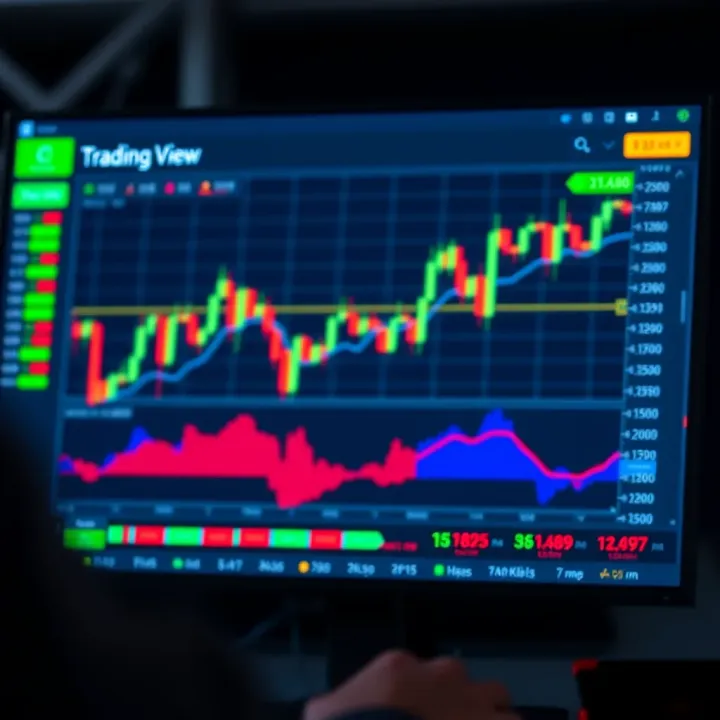
📈 Learn how Kenyan traders can use TradingView.com to analyse charts, access market data, explore subscription plans, and enhance local trading strategies effectively.
Explore Quotex trading in Kenya 🇰🇪: how to register, fund via M-Pesa, understand risks, and improve results with smart strategies tailored for Kenyan traders 📈💼.
Based on 6 reviews