

Guide to Deriv Account for Kenyan Traders
Explore how to open a Deriv account in Kenya 🇰🇪, learn about funding options 💰, secure trading practices 🔒, and tips for navigating Deriv platforms efficiently.
Edited By
Emily Dawson
Tradeview.com offers powerful interactive charts specifically designed to help traders make sense of complex market movements. For Kenyan traders, understanding how to use these charts effectively can mean the difference between guessing and making smart, data-driven trades. This guide introduces you to Tradeview.com charts, showing how to access them and apply their features to improve your trading strategies.
Accessing the charts is straightforward: from your desktop or mobile device, log in to Tradeview.com and select the financial instrument you want to analyse. Whether you're watching NSE stocks, commodities like coffee or tea, or forex pairs involving the Kenyan shilling, the charts provide real-time updates that reflect market activity as it happens.
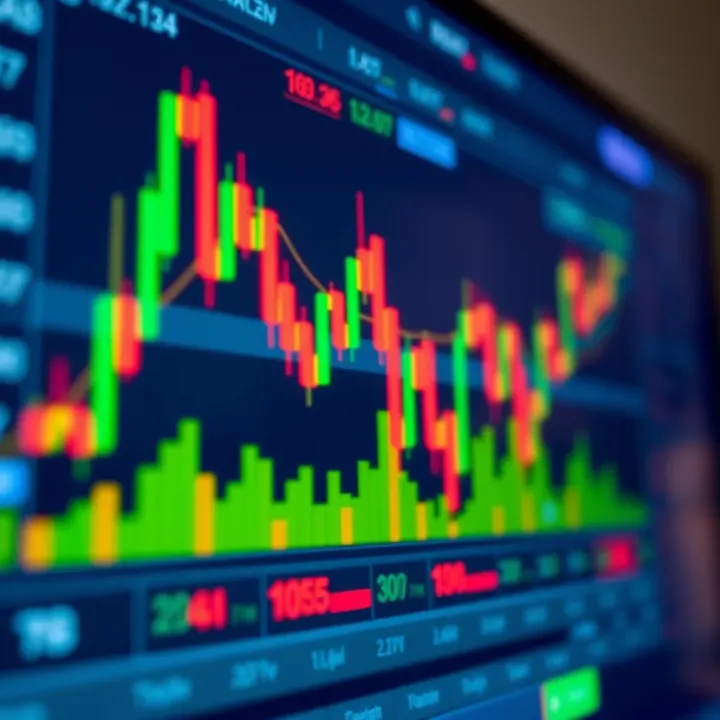
The site offers various chart types—line, candlestick, and bar charts each serve different analytical purposes. Candlestick charts, popular among traders worldwide, give a snapshot of price movements within a set timeframe by showing open, close, high, and low prices clearly. For example, a green candlestick means the price closed higher than it opened, a detail that helps you track bullish or bearish trends at a glance.
Tradeview.com charts also come with essential tools like drawing trend lines, applying moving averages (such as the 50-day or 200-day), and indicators like RSI (Relative Strength Index) or MACD (Moving Average Convergence Divergence). Using these tools, Kenyan traders can spot market reversals or confirm ongoing trends before deciding to buy or sell.
One practical tip is to integrate Tradeview.com's charts with your trading journal. After analysing a chart and making a trade, note the reasoning and outcome. This habit sharpens your decision-making over time.
Remember, trading requires both good data and disciplined practice. Tradeview.com supplies the data; it’s up to you to use it wisely. From monitoring NSE blue chips to forex pairs involving the KSh, the charts provide a reliable window into market behaviour.
In the following sections, we’ll explore key features on the platform, step-by-step ways to customise charts for your needs, and practical strategies suited to Kenyan markets. By mastering these, you can trade with greater confidence and clarity.
Starting out with Tradeview.com charts is a necessary step for anyone hoping to make smart trading decisions. Without understanding how to access and navigate the platform, you won’t fully benefit from the rich data and tools it offers. For Kenyan traders, this first step lays a foundation for integrating local market factors, such as NSE trading hours and pair selections in Kenyan Shillings (KSh).
The registration process on Tradeview.com is straightforward, requiring only a valid email and basic personal details. This allows you to create a free account quickly, enabling access to live charts, real-time data, and essential market tools. For example, when you register, you’ll get a clean dashboard tailored to your preferences, helping you monitor the Nairobi Securities Exchange (NSE) or Forex markets.
After registration, verifying your account comes next. This step usually involves submitting identification documents like your national ID and proof of address. Verification is essential for unlocking advanced features such as placing trades, saving chart templates, and using indicators without limits. This process ensures security and compliance with trading regulations, giving you peace of mind as you trade.
Once logged in, familiarising yourself with the dashboard is crucial. The dashboard serves as your command centre where you can switch between markets, select chart types, and track your watchlists. For instance, you may customise your dashboard to display KSh forex pairs during NSE trading hours to align better with your trading style.
The chart layout on Tradeview.com is designed for clarity and flexibility. It shows price movements over time with easy-to-understand components such as price bars, volume, and technical indicators. This setup allows you to quickly spot trends or reversals, for example, detecting a support level for Safaricom shares after a sudden dip.
You can also customise your view extensively. Choose different chart types—candlestick, line or bar charts—or adjust colours and time frames to match your trading preferences. For example, if you prefer short-term day trading, you might set your chart to display 15-minute intervals with RSI (Relative Strength Index) to gauge momentum.
Saving your chart setups is a practical feature that helps you avoid repetitive adjustments. After customising your indicators and layout, save them so you can return to the same configuration later without resetting each time. This convenience is especially useful for monitoring multiple assets or markets efficiently.
Getting started with a clear account setup and familiarising yourself with the chart interface prepares you to make better, timely trading moves on Tradeview.com tailored to Kenyan market conditions.
Understanding the key features of Tradeview.com charts is vital for Kenyan traders who want to make precise market decisions. These features allow you to visualise price movements and spot trends, which is particularly useful when trading stocks on the Nairobi Securities Exchange (NSE) or forex pairs involving the Kenyan Shilling (KSh). By mastering chart types and technical tools, you can tailor your analysis to match your trading style and the local market conditions.
Candlestick charts give a detailed picture of price action within a specific time frame. Each candlestick shows the opening, closing, high, and low prices, which helps identify market sentiment at a glance. For example, a bullish candlestick with a long body and little wick signals strong buying pressure. Kenyan traders commonly use candlesticks to read daily price shifts in NSE stocks like Safaricom or Equity Bank, helping them decide when to enter or exit a trade.
Line charts connect closing prices over time, producing a simple, clean visual. This type is helpful for beginners or traders wanting to see the overall direction of an asset without the noise of day-to-day fluctuations. In Kenya, line charts might be used to review long-term trends for agricultural commodities or currency pairs involving KSh before making investment decisions.
Bar charts show the same data as candlesticks but display it with vertical lines and tick marks for opening and closing prices. They offer a clearer view of price range and closing price relative to the day's overall movement. Bar charts can be handy for traders studying volatility in forex markets, particularly when sudden local economic news like Central Bank of Kenya (CBK) interest rate changes affect currency pairs.
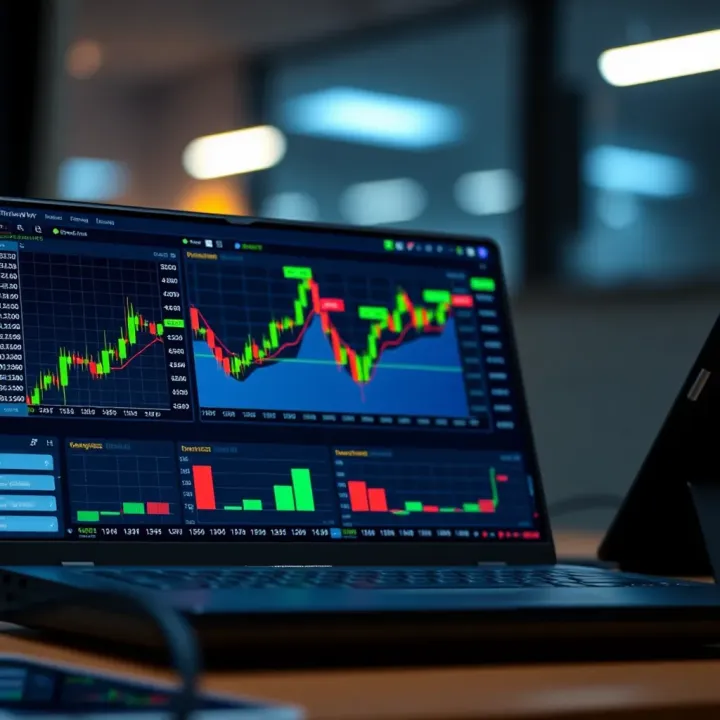
Moving averages smooth out price data to help traders see the overall direction more clearly. Commonly, the 50-day and 200-day moving averages are used to spot trends and potential reversals. For instance, a Kenyan trader might watch Safaricom’s share price crossing above its 50-day moving average as a sign of upward momentum.
Relative Strength Index (RSI) measures if an asset is overbought or oversold on a scale of zero to 100. An RSI above 70 suggests overbought, signalling a possible price drop soon, while below 30 indicates oversold, implying a potential price rise. Kenyan traders use RSI to time entries on volatile stocks or forex pairs, especially when local events cause sharp price swings.
Bollinger Bands add upper and lower bands around a moving average to gauge volatility. When the bands widen, it shows higher volatility, whereas narrow bands suggest calmer trading periods. For example, during Kenya's economic reports like inflation updates, Bollinger Bands can help traders anticipate big moves in the market.
Drawing tools for trendlines and patterns let traders mark support and resistance zones or chart formations like triangles and head-and-shoulders. Marking these patterns on Tradeview.com can guide Kenyan traders to spot breakouts or reversals early, critical when trading NSE shares or forex pairs affected by local political movements.
Familiarity with these chart features and tools can improve your ability to make timely, informed trades, blending global technology with local market insight.
Using Tradeview.com charts effectively helps Kenyan traders interpret market conditions and make sound trading decisions. The platform's tools simplify analysing price movements, spotting trends, and understanding market psychology—skills that are vital when dealing with assets traded on the Nairobi Securities Exchange (NSE) or forex pairs in Kenyan shillings (KSh). These charts allow traders to spot entry or exit points based on clear, data-driven signals instead of guesswork.
Identifying support and resistance levels is the foundation for reading price action. A support level is a price point where buying interest typically stops prices from falling further, while resistance marks where selling pressure checks upward price movement. For example, if Safaricom shares repeatedly bounce back at KSh 30, this price forms a support level. Recognising such levels helps traders anticipate potential market pauses or reversals, aiding in setting stop losses or profit targets.
Recognising chart patterns reveals market sentiment shifts. Patterns like double tops or head and shoulders flag possible trend changes, while flags and pennants often signal short pauses before the trend continues. For instance, if the NSE All Share Index consolidates into a triangle pattern, a breakout upwards may indicate a bullish run. Kenyan traders can use these patterns to time their moves better instead of responding to price jumps reactively.
Spotting trend reversals early can save capital or lock in profits. Indicators of reversals include long wicks on candlesticks, increasing volume on price declines, or divergence between price and indicators like the RSI. For example, when an equity shows lower highs on RSI but price hits a new high, it suggests underlying weakness and potential reversal. Recognising such signals on Tradeview.com charts lets traders prepare either to exit or enter positions informed.
Combining multiple indicators sharpens decision-making by confirming signals and reducing false alarms. Relying solely on RSI might mislead if a stock remains overbought for an extended period; however, pairing RSI with moving averages or Bollinger Bands can paint a fuller picture. Kenyan traders handling volatile assets like forex pairs can spot stronger entry or exit points by layering indicators thoughtfully.
Avoiding common pitfalls ensures traders don't get trapped by noisy signals. Overloading charts with too many indicators breeds confusion, and blindly following popular tools without understanding market context leads to mistakes. For example, a trader might see an RSI crossover and rush into buying, ignoring broader NSE market sentiment or economic news affecting the sector. Successful analysis blends indicators with awareness of local market events.
Timing entry and exit points precisely is critical for maximising profits and managing risk. Tradeview.com charts enable traders to watch when price hits support or resistance combined with indicator confirmation, signalling potential entries. For instance, buying Safaricom shares when price touches a known support level while RSI signals oversold conditions increases the chance of a fruitful trade. Similarly, an exit may be timed when price nears resistance and volume tapers off, protecting gains.
Using Tradeview.com charts for analysis isn't just about reading past prices; it's about understanding probable future moves to trade confidently within Kenya's market context.
By mastering these skills, Kenyan traders can navigate fast-moving markets with greater clarity and reduce losses due to guesswork or emotion. Tradeview.com offers a practical, versatile platform tailored for such analysis, empowering traders at all levels.
Using Tradeview.com charts effectively requires adapting to Kenya's specific trading environment. This section highlights practical tips that help Kenyan traders make the most out of the platform by aligning chart use with local market conditions and technology habits. Knowing what to look out for locally ensures your analysis is spot on and well-timed.
Considering NSE trading hours
The Nairobi Securities Exchange (NSE) operates from 9:30 am to 3:00 pm East Africa Time (EAT), Monday through Friday. It's critical to factor these hours in when analysing charts on Tradeview.com because most price movements and volume changes happen within this window. For instance, if you check charts outside trading hours, volume indicators may appear low or inactive, potentially giving a false sense of market calm.
Also, news or announcements released after market hours can cause significant price gaps when the NSE reopens. Kenyan traders should watch out for such gaps as they can signal shifts in market sentiment or opportunities for quick trades once the market resumes.
Using Kenyan Shilling (KSh) pairs
Tradeview.com offers currency pairs quoted against the Kenyan Shilling, which is vital for traders dealing directly in local money. Paying attention to KSh pairs allows you to track forex movements that affect importers, exporters, or investors in the domestic market.
For example, fluctuations in the USD/KSh rate might impact share prices in export-focused companies. Kenyan traders can use Tradeview's charts to spot trends or sudden swings in KSh pairs and adjust their strategies accordingly, such as hedging against currency risk.
Adapting to volatility influenced by local news
Local political events, government policy changes, or even weather conditions like long rains can move the market unexpectedly. Traders using Tradeview.com charts should regularly cross-check their technical analysis with Kenyan news feeds to understand what might be driving sudden price swings.
For instance, an announcement on interest rate changes by the Central Bank of Kenya (CBK) often triggers quick movements in banking sector stocks. Integrating chart trends with such news helps you avoid rash decisions based only on technical signals.
Optimising for smartphone use
Many Kenyan traders rely on smartphones due to their portability and convenience. Tradeview.com’s mobile version lets you access full chart functions, but it works best when you tailor settings to smaller screens. Using simplified chart layouts, zooming carefully on areas of interest, and employing gesture controls can improve analysis without overwhelming the display.
Moreover, since many users run on limited data plans or spotty network coverage, saving chart templates and preloading settings can reduce loading times and data consumption while travelling or away from stable Wi-Fi.
Using charts alongside M-Pesa for transactions
Tradeview.com charts guide your trading decisions, but completing transactions happens outside the platform—often via M-Pesa for Kenyan traders. Keeping both tools open (charts and the M-Pesa app) simplifies moving from analysis to action quickly, especially for intraday trades.
For example, spotting a breakout on a stock chart during NSE trading hours can be timed precisely with available funds on M-Pesa, allowing you to buy or sell shares immediately without delay. It’s wise to keep KSh funds ready in M-Pesa or linked bank accounts to avoid missing such opportunities.
Backup and sync features
Tradeview.com allows saving your chart setups either locally or in the cloud, enabling seamless access across devices. For Kenyan traders switching between desktop at work and smartphones on the go, this is a game-changer.
Regularly backing up your personalised indicators, drawing tools, and watchlists ensures you don’t lose hours of customised work. Syncing also keeps your trade analysis consistent, so you can pick up where you left off whether at home, office, or on a matatu ride.
Staying practical by syncing your Tradeview.com settings and aligning charting with Kenya’s market hours and currency gives you a sharper edge. This approach avoids surprises and helps you manoeuvre the ups and downs like a seasoned trader.
Understanding how to fix common issues and knowing where to find extra help can save time and boost your confidence when using Tradeview.com charts. Traders often face technical problems like slow loading or indicator errors, which can disrupt analysis. Having clear troubleshooting steps helps you get back on track quickly without missing market opportunities.
Meanwhile, additional learning resources such as tutorial videos or community groups deepen your knowledge and connect you with fellow traders. These support channels make it easier to stay updated, especially when Kenyan market conditions change unexpectedly. The following sections address key practical problems and valuable sources of support.
Slow chart loading can be frustrating, especially when trying to catch timely market moves on the Nairobi Securities Exchange or in forex pairs involving the Kenyan Shilling (KSh). Slow loading often results from unstable internet connections or heavy browser memory use. For instance, if you rely on mobile data in a busy Nairobi neighbourhood, the charts might lag during peak hours.
To fix this, close unused browser tabs and applications to free up resources. Clearing your browser cache regularly helps too. Also, switching to a faster Wi-Fi network or using a browser optimised for performance, like Google Chrome or Mozilla Firefox, can speed up load times.
Indicator display errors occur when technical tools like Moving Averages or Relative Strength Index (RSI) fail to show correctly or mismatch price data. These errors may happen if the chart's time frame is incompatible with the indicator settings or if the indicators aren't properly updated.
If you spot such glitches, try resetting the indicators or removing and reapplying them. Checking for platform updates can also resolve bugs. For example, if Bollinger Bands look distorted on your smartphone during a matatu commute, refreshing the app usually restores normal function.
Browser compatibility affects how well Tradeview.com charts perform on different browsers or devices. Some browsers may not support all features or have security settings blocking chart scripts, causing poor display or limited interactivity.
For smooth experience, use supported browsers recommended by Tradeview.com, and ensure your browser version is current. Avoid older or less common browsers. On desktop and mobile, enabling Javascript and cookies is essential.
Tutorial videos and guides offer step-by-step instructions on using Tradeview.com charts effectively. For Kenyan traders, these help familiarise yourself with features like drawing trendlines or switching between candle and bar charts without trial and error.
Such resources often include examples related to NSE stocks or forex pairs like USD/KSh, making learning practical. Watching them during breaks or downtime solidifies trading skills faster than reading manuals alone.
Community forums and user groups provide spaces where traders share experiences, ask questions, and exchange tips. Joining groups focused on Tradeview.com or Kenyan markets connects you with peers facing similar challenges and opportunities.
Engaging in these communities can reveal workarounds for technical problems or fresh insights about local market volatility linked to political developments or weather events.
Contacting Tradeview.com support is vital when self-help options fail. The support team can assist with account issues, technical faults, or unusual chart behaviour.
Having clear contact channels, like email or live chat, ensures you get timely help. For example, if your chart indicators keep resetting despite changes, reaching out to support can uncover a backend issue or suggest specific fixes.
Trouble with charts is common but manageable. Using troubleshooting steps and tapping into learning and support resources puts you in control, enabling smarter, quicker trading decisions on Tradeview.com.
Explore how to open a Deriv account in Kenya 🇰🇪, learn about funding options 💰, secure trading practices 🔒, and tips for navigating Deriv platforms efficiently.

Explore D Trader's top features and benefits tailored for Kenyan traders 🇰🇪. Learn how to start, manage risks, and trade in multiple markets confidently 📈.
📊 Master chart patterns with our practical guide! Learn their types, analysis tips, and find reliable PDF resources to boost trading success in Kenya.

📚 Learn how to effectively implement Deriv with practical tips, explore syntax, common challenges, and performance strategies tailored for developers.
Based on 8 reviews