
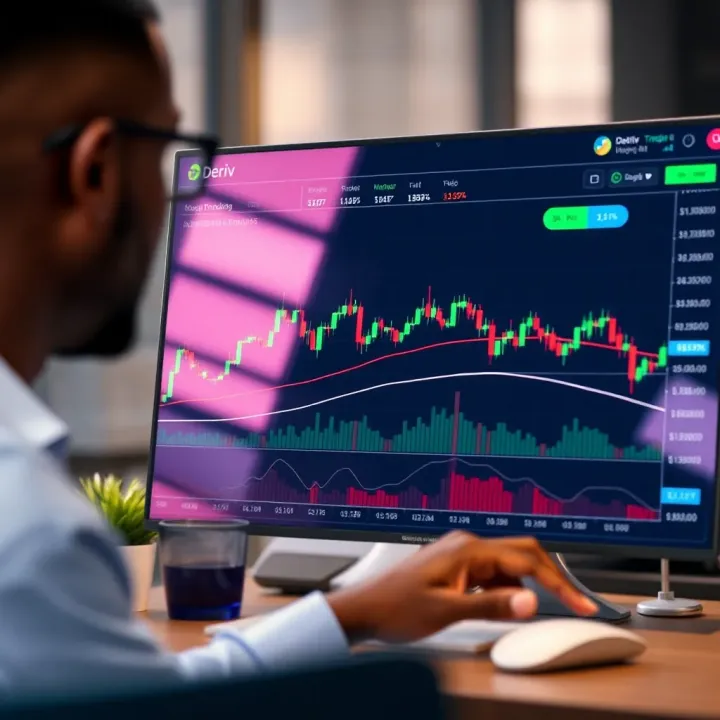
Effective Trading with Deriv TradingView in Kenya
📈 Learn to master Deriv TradingView for smarter trades in Kenya! Set up charts, use tools, apply strategies, and avoid common trading mistakes.
Edited By
Henry Fletcher
Integrating TradingView charts into the Deriv platform offers a solid advantage for traders in Kenya aiming for a richer, faster, and more detailed trading interface. Rather than juggling between different tools, this integration brings market data, advanced charting features, and technical indicators right into your Deriv trading environment.
This guide dives into the nuts and bolts of setting up TradingView on Deriv. I'll break down the benefits, necessary technical steps, and customization options that empower you to tailor your trading setup according to your style and goals.
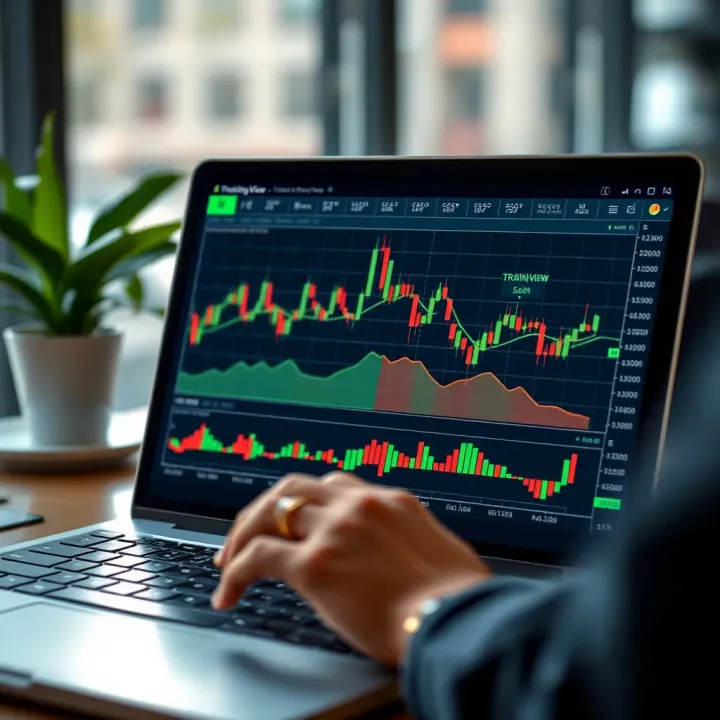
TradingView is renowned globally for its interactive charts and expansive library of indicators, while Deriv provides a reliable and user-friendly brokerage service. Combining the two can seriously enhance decision-making, whether you're analyzing forex, commodities, or synthetic indices.
The key here is not just adding charts but smoothing out the workflow so you can focus on the market, not on switching platforms or wrestling with complicated interfaces.
In this article, you'll find practical tips and clear instructions, making the process straightforward even if you're not a tech expert. Kenya's traders can particularly benefit by having real-time data and visual tools that match global standards right at their fingertips.
Let's get started with understanding why this integration matters and how it can transform your trading experience.
Integrating TradingView into the Deriv platform is more than just adding a fancy chart to your trading screen. It's about upgrading your entire trading toolkit to be sharper, faster, and more intuitive. For traders in Kenya or anywhere else, this integration means better insights through advanced charts, smoother user experiences, and more confidence in making decisions on live market data.
TradingView's charts are highly interactive and packed with features that even seasoned traders swear by. When combined with Deriv's platform, they bring together the best of both worlds: Deriv’s flexible trading environment and TradingView’s comprehensive analysis tools. The result is a more cohesive setup where you can spot trends, set alerts, and execute trades without switching platforms or losing focus.
The practical benefits include faster reaction times, smarter trades, and overall less friction when monitoring and managing your portfolio. In short, integrating TradingView with Deriv helps turn ideas into action seamlessly, which is the bread and butter for any serious trader.
TradingView is widely known for its powerful, user-friendly charts that go way beyond the usual line graphs. It offers real-time data visualization with multiple chart types—candlestick, bar, area, and more. You can draw trend lines, plot Fibonacci retracements, and use a whole suite of technical tools to dissect market movements.
These features matter for Deriv users because they enable a deeper dive into price action using visual aids that are easy to interpret. For example, a Kenyan trader analyzing forex pairs on Deriv can overlay moving averages or Bollinger Bands from TradingView to catch entry points for buying or selling, all within a seamless interface.
TradingView isn’t just popular by chance—it’s used by millions of traders across the globe because it strikes a fine balance between accessibility and depth. Its social community allows traders to share ideas and strategies, making it a living hub of market insight.
This wide adoption means that when Deriv integrates TradingView, users tap into a tool that is tested, trusted, and continuously improved by a large community. Kenyan traders, for instance, get to trade with the same level of charting sophistication as professionals on Wall Street or in London, leveling the playing field.
Deriv users benefit hugely from TradingView’s advanced analytic options. Beyond simple moving averages or volume indicators, TradingView offers tools like MACD, RSI, Ichimoku Clouds, and many others right at your fingertips. These help anticipate market moves more reliably.
For example, a trader watching the USD/KES pair might use RSI to detect overbought conditions, guiding when to hold back or jump in. This level of detail enhances the ability to make precise, data-backed decisions.
TradingView’s interface is sleek and intuitive, with drag-and-drop elements, easy zooming, and customizable layouts. This fits nicely into Deriv’s clean design, making it easier for traders to stay focused and manage their strategies without distraction.
One particular win for the Kenyan market is the ability to set up personalized watchlists and quick switches between assets, cutting down the time spent navigating menus and increasing actual trade analysis time.
TradingView brings a vast library of both built-in and community-created indicators. Whether you want standard tools like Moving Average Convergence Divergence (MACD) or more niche indicators crafted by active traders, everything is available.
Deriv users, especially those trading binary options or forex, can thus tailor their charts perfectly to their strategy. This customization capability is vital since no two traders think alike; the more personalized the tools, the better the performance.
By combining TradingView’s charts and Deriv’s trading features, you’re setting yourself up for a trading experience that’s both smarter and smoother. In the sections ahead, we’ll break down the technical steps and tweaks needed to get the most out of this integration, so stay tuned.
Grasping the technical prerequisites before integrating TradingView with Deriv is like laying a solid foundation for a building. Without understanding the underlying tools and architecture, the entire setup risks becoming unstable or inefficient. These technical elements not only save time down the road but also ensure a smoother integration that performs well under real trading conditions.
Deriv’s API serves as the backbone for integrating external tools like TradingView. It provides specific endpoints, or doorways, through which your applications can request data or execute trades.
Available API endpoints: These include market data retrieval, trade execution, account status updates, and streaming live price feeds. For example, if your TradingView widget needs to reflect real-time tick data for forex pairs available on Deriv, the API endpoint dedicated to streaming those ticks is what you’ll tap. Knowing which endpoints exist and what data they provide ensures you only call what you need, which keeps your integration swift and responsive.
Data flow and communication protocols: Deriv primarily uses WebSocket and RESTful protocols for communication. WebSocket is crucial when you want continuous, real-time data streaming, such as live price charts on TradingView. REST APIs handle request-response communication, like fetching historical prices or placing manual trades. Proper handling of these protocols means your trading charts won’t lag behind market changes, and commands to open or close trades execute without hiccups.
Embedding TradingView into Deriv isn't just about pasting code; it requires careful attention to the tools and rules TradingView provides.
Widget options and embedding capabilities: TradingView offers several widgets, from simple ticker tape widgets to full-fledged charting libraries. The widget you choose depends on the depth of trading experience you want to furnish. For hands-on technical analysis, the Interactive Chart widget shines—it allows deep customization, supports multiple timeframes, and lets users add indicators. Embedding involves using an iframe or TradingView's JavaScript library, which must be tailored to Deriv’s interface for seamless look and feel.
Licensing and usage limitations: It’s easy to overlook but crucial—TradingView’s widgets come with usage rules. Free widgets cover basic needs but may restrict branding customization or volume of users. If Deriv intends to offer TradingView features as a core part of their platform, securing the correct licenses is non-negotiable. This avoids legal troubles and unlocks advanced features like private data feeds and more extensive customization options.
Without taking care of these technical foundation stones—the API endpoints, data protocols, and widget requirements—attempting to embed TradingView on Deriv would be like trying to fish without a net.
Getting these technical details right not only streamlines your integration process but also elevates the trading experience for users, ensuring accurate, timely data and interactive charts that respond fast—two things any trader will appreciate on Deriv.
Embedding TradingView charts within the Deriv platform isn’t just about slapping some widgets on the interface. It’s about creating a smooth, interactive experience that traders can rely on without fuss. This guide walks you through the nuts and bolts of making TradingView a natural part of Deriv, allowing traders to benefit from advanced charting alongside Deriv’s trading tools. Whether you’re a developer crafting the integration or a trader curious about how it all fits, understanding these steps ensures a reliable and user-friendly setup.
Before diving into the integration, you need the right tools. At a minimum, a modern code editor like Visual Studio Code is essential—it handles JavaScript and HTML seamlessly. You’ll want to have Node.js installed to manage dependencies and optionally run local development servers. Browsers like Chrome or Firefox with Developer Tools help debug and test your work easily.
Deriv’s API access requires working with REST endpoints and WebSocket connections, so familiarity with Postman or tools like Insomnia can speed up testing requests before coding. This setup ensures you can jump in, test features, and debug issues without wasted time fumbling over the basics.
Deriv provides a developer portal that’s a gold mine for anyone integrating external tools like TradingView. Here you’ll find API documentation detailing endpoints, authentication methods, and sample code snippets. It’s also where you can request API keys necessary for secure data access.
These resources break down how Deriv structures its platform and how external scripts can interact with live trading data securely. For example, to pull real-time price data for a chart, the docs will show you exactly which endpoint to call and how to handle the incoming data stream. Using these guides saves time and ensures your integration meets Deriv’s standards.
TradingView offers flexible widgets that can be dropped into any web interface via straightforward HTML and JavaScript. Embedding them in Deriv means copying the widget code snippet and configuring it with the desired parameters—like the trading symbol, timeframe, and language.
For practical use, suppose you want to display the chart for the USD/Naira pair. The widget code can be adjusted to load that symbol instantly. This makes it easy for users to see live charts without leaving Deriv’s platform. Plus, the widgets can be configured to allow full charting capabilities or just view mode depending on your preferences.
Beyond embedding, the charts need to feel native. Configuring settings to match Deriv’s look and feel is key. This includes setting colors, choosing default indicators, and picking time intervals familiar to Deriv users.
Specifying the correct symbols is crucial — using Deriv’s instrument codes aligns the charts with the actual tradable assets. For instance, if Deriv uses "frxEURUSD" as the symbol for Euro/US Dollar forex, your widget should reference this exact symbol to prevent confusion or data mismatches.
Traders in Kenya and elsewhere increasingly rely on mobile devices. Ensuring TradingView charts render well on phones and tablets means adopting responsive design principles. Charts should resize fluidly, touch interactions like zoom and scroll must feel smooth, and UI elements can’t be too cramped.
Using CSS media queries and flexible widget dimensions helps here. For example, switching from a wide desktop layout to a stacked single-column view on mobile keeps everything accessible. Ignoring this step would leave many users struggling with cramped or broken interfaces.
Not every trader uses the same browser. Chrome, Firefox, Safari, or even Microsoft Edge—they all handle JavaScript and CSS slightly differently. Testing your embedded charts across these browsers ensures your integration won’t break or behave oddly.
For instance, some older mobile browsers might have issues with certain widget features or animations. Catching and fixing these quirks early can save headaches down the road. A practical tip is to use browser testing tools or services that simulate different environments, so you don’t have to own every device physically.
Remember, a slow-loading or poorly functioning chart can frustrate users and potentially impact trading decisions. A careful, stepwise embedding process lays the foundation for a dependable TradingView experience on Deriv.
Customizing TradingView to fit Deriv's unique trading environment is more than just a nice-to-have—it’s essential for delivering a smooth, engaging user experience. Given how traders rely heavily on visual cues and precision in their charts, tailoring these tools specifically for Deriv not only streamlines analysis but also deepens user trust and satisfaction.
These tweaks can range from simple color changes to ensure visual harmony with Deriv’s branding, to integrating indicators exclusive to Deriv’s trading products. For example, a Kenyan trader dealing with forex pairs and synthetic indices on Deriv benefits from chart themes and indicators crafted just for those instruments.
Customization helps avoid a one-size-fits-all approach, which might leave traders guessing or adapting to a generic setup that doesn’t quite click with their preferred assets or trading style. Instead, a thoughtful customization creates a setup that feels native and tailored, reducing cognitive load and speeding up decision-making.
Changing the chart colors is one of the simplest yet most effective ways to customize. This isn't just about aesthetics—good color contrast improves readability and reduces eye strain during long trading sessions. For instance, applying a dark theme with Deriv’s signature blue and white accents can make it easier for traders to focus during Nairobi's bright afternoon hours without glaring screens.
Traders and developers can tweak candlestick colors, grid lines, and background shades to match their preferences or environmental conditions. On a practical note, switching to softer tones during night trades can prevent eye fatigue, helping traders stay sharp.
Ensuring the TradingView charts align with Deriv's visual identity strengthens brand credibility. This means using the same fonts, colors, and design elements that users associate with Deriv. When a trader logs in and sees charts reflecting the platform's overall style, it feels more seamless and professional.
This cohesion isn’t just surface-level. It plays a subtle role in reinforcing trust—when things look consistent, users feel the platform is more reliable. Developers can implement brand-matched themes by adjusting CSS variables or embedding TradingView widgets with custom configuration options.
Deriv offers unique instruments that may require exclusive indicators to analyze effectively. Incorporating proprietary indicators into TradingView charts means traders get relevant signals that off-the-shelf tools might miss. For example, an indicator designed to interpret Deriv’s synthetic index volatility or market sentiment can provide an edge.
To do this, developers need to use TradingView’s Pine Script or JavaScript, depending on the integration approach, to build and embed these custom indicators. The benefit is crystal clear: traders get real-time, context-aware tools directly within their chart window, reducing the need to switch platforms.
Custom alerts tied to Deriv's live data feed help traders react swiftly to market changes. Imagine a Kenyan trader who sets alerts for specific price moves in USD/ZAR currency pairs or synthetic indices—they’ll get notified instantly when certain thresholds hit. This is a practical way to avoid staring at charts all day and missing crucial breaks.
Besides price, alerts can be configured for other proprietary metrics like volatility spikes or volume changes specific to Deriv assets. Setting these up usually involves connecting alert triggers in TradingView’s system with Deriv’s data, ensuring timely and accurate notifications.
Remember: well-crafted customizations make the trading experience not just better-looking but genuinely smarter and more aligned with what Deriv traders need daily.
By focusing on these customization aspects, the integration becomes a powerful extension of Deriv’s platform—enhancing analysis and boosting trader confidence right from the start.
Integrating TradingView into the Deriv platform isn't always smooth sailing. There are some common hurdles that developers and traders alike face—especially when aiming for a fluid, real-time trading experience. These challenges can slow down performance or cause frustration if not handled properly. This section focuses on pinpointing those issues and offers straight-up solutions tailored for those working within Deriv environments.
When you’re relying on live market data, timing is everything. Data latency—the delay between when an event happens and when you see it on your chart—can seriously impact your trades.
Refreshing data rapidly is key to keep your charts up-to-date and reliable. One effective way to tackle this is by using WebSocket connections instead of standard HTTP requests. WebSockets keep a continuous connection open, allowing new prices to flow in instantly without repeated requests. For example, when trading volatile assets like forex pairs or cryptocurrencies on Deriv, that split-second can mean the difference between profit and loss.
Also, optimize how frequently your front-end fetches data. Sending requests every few seconds instead of trying to update every millisecond reduces server load and minimizes bottlenecks, without losing critical price moves.
A common problem is seeing outdated or conflicting prices between your TradingView widget and Deriv’s backend. This can happen if data sources aren’t syncing properly or if there’s lag in one of the feeds.
To solve this, implement a timestamp validation system. Each price update should carry a timestamp, and your integration code should discard any data older than what’s currently displayed. This stop old info from overwriting fresh prices. Also, align update cycles between TradingView and Deriv’s API so they push data at consistent intervals.
The TradingView widget adds complexity, and sometimes it refuses to load or throws errors. Understanding why is crucial to keeping your users happy.
Cross-Origin Resource Sharing (CORS) errors crop up when the browser blocks TradingView’s resources from loading because of origin restrictions. It’s like the browser asking, “Are you really allowed to grab data from this other website?”
This is tackled by correctly configuring your server headers to allow requests from Deriv’s domain or wherever your service lives. Also, double-check your widget embedding code uses secure HTTPS protocols consistently since mixed content can trigger these errors too.
TradingView’s API and Deriv’s API require secure authentication layers. If tokens or keys aren’t correctly set up, the widget won’t load data or might fail silently.
Keep your API keys stored safely and renew tokens before they expire. If you're using OAuth or similar methods, ensure your app handles token refreshes automatically. Test your authentication thoroughly on staging before rolling out live; nothing is more frustrating than a blank chart because of unauthorized access.
Remember, addressing these common problems early saves time and gives traders a smoother experience, allowing them to focus on what really matters: making smart trades.
In summary, tackling data latency, synchronization glitches, and loading hurdles isn’t just technical nitpicking—it’s fundamental to integrating TradingView seamlessly on Deriv. By focusing on these challenges upfront, you ensure your platform feels responsive, reliable, and professional for every Kenyan user trading on Deriv.
Kenyan traders can get a lot out of integrating TradingView with Deriv, but there are local quirks that make a difference in how smoothly things run. This means tailoring the setup and usage to Kenya’s internet environment, market specifics, and trading habits. From connection tweaks to making sure your market info matches what’s happening in Nairobi or Mombasa, these tips help ensure your trading experience is not just functional but genuinely efficient and effective.
Kenya's internet infrastructure varies a lot — from fast fiber connections in Nairobi to spotty mobile data in rural areas. Understanding this plays a big role for traders using TradingView on Deriv.
To keep charts loading quickly and updates coming through in real-time, it’s wise to adjust your connection settings. For example, traders on mobile networks should consider lowering the data refresh rate in TradingView settings. A refresh every 15-30 seconds is often enough without overloading the network. Those with fiber or more stable broadband can keep refresh rates around 5 seconds for a near real-time feel.
Enabling WebSocket connections, which both TradingView and Deriv support, helps keep market data flow stable and efficient. But if you run into frequent disconnects, switching back to HTTP polling at longer intervals can reduce interruptions.
TradingView can gobble up quite a bit of data, especially if you’re monitoring several charts or multiple indicators. For Kenyan traders often on limited data plans, managing this is important. Turn off unnecessary indicators and use simpler chart types like line or area charts rather than heavily detailed candlestick charts when possible.
It also helps to clear cache regularly and close unused browser tabs or apps running heavy data usage in the background. Doing this saves bandwidth and prevents your device from slowing down mid-trade.
Keep in mind: Every megabyte saved on data means you can trade longer without worrying about expensive top-ups or throttled speeds. Simple measures here pay big dividends.
Traders do best when their tools understand the local scene. Integrating Kenya-specific data with TradingView on Deriv sharpens the accuracy of analysis and trade timing.
While Deriv offers international assets like forex, commodities, and indices, Kenyan traders might want to focus or include assets relevant to their economy, such as the Nairobi Securities Exchange (NSE) stocks or local currency pairs like USD/KES.
You can customize TradingView by adding symbols that reflect NSE stocks or East African region commodities if available. This might require linking to third-party data providers or using Deriv’s API to pull local market data in sync with TradingView charts.
Having these symbols right there means analysis stays sharp and you’re not guessing based on global assets alone.
Kenyan markets operate on East Africa Time (EAT), which is GMT+3. TradingView charts by default show major market times like New York or London, which don’t match local trading hours.
Adjust the chart settings to reflect EAT. This ensures candlesticks and volume data sync with when NSE or regional markets actually open and close. Knowing precisely when these markets tick helps in timing entries and exits better.
Many traders find that setting alerts around market opening or closing times in EAT improves response times without missing out on important price moves.
Pro tip: Use TradingView's session break features to mark Kenya’s weekend or public holidays, so you don’t get false signals or data gaps during those periods.
By tweaking these settings and considering Kenya’s unique trading environment, TradingView on Deriv becomes a much more practical and powerful tool for local traders. It’s about turning a great global product into one that really hits home.
Keeping your TradingView integration with Deriv running smoothly requires ongoing maintenance and periodic updates. While the initial setup might be straightforward, the trading environment and technology evolve constantly. This means relying on a 'set-and-forget' system isn't an option if you want to avoid glitches and keep benefiting from the latest features.
Regular maintenance helps catch issues before they affect your trading experience. For example, a slight delay in chart updates or a misaligned indicator can throw off your decision-making. Updating the integration also ensures compatibility with new versions of both TradingView and Deriv, reducing downtime.
By staying on top of maintenance, traders and developers can avoid frustrating lags or errors. It also opens the door to leveraging improvements like enhanced charting tools or better data feeds as soon as they become available. For Kenyan users especially, where network conditions can be variable, keeping everything tuned up makes trading a lot smoother and more reliable.
TradingView periodically releases updates to its API to add features, fix bugs, or change data formats. Not tracking these changes can lead to unexpected failures—like charts refusing to load or indicators behaving oddly.
It’s crucial to subscribe to TradingView's developer announcements or set up alerts for API changes. When an update is announced, check if it involves breaking changes or deprecated endpoints that affect your Deriv integration. For instance, if TradingView modifies how symbol data is retrieved, failing to update your integration could leave you with outdated or incorrect info.
Once you identify an API update that impacts your setup, immediately adjust your code to match the new requirements. This could mean rewriting parts of your data fetch functions or changing how you embed widgets. For example, if TradingView changes the authentication process, your application needs to handle the new method to maintain a stable connection.
Keeping a modular codebase helps here; if your implementation separates API calls from UI logic, updates become less cumbersome. Always test changes in a controlled environment before rolling them out live to avoid unexpected downtime for traders.
Trading platforms must feel responsive and clear, especially when users depend on them for real-time decisions. Conducting frequent user experience (UX) tests helps identify glitches like slow chart loading, confusing navigation, or visual bugs.
For instance, Kenyan traders using mobile devices on limited bandwidth might struggle if charts are too data-heavy or slow to refresh. Regularly monitoring how the integration performs on common devices and networks ensures those issues don’t slip through. Using tools that simulate different speeds and devices can reveal bottlenecks before users complain.
Collecting direct feedback from active users within the Deriv community is just as important. This feedback can highlight things no automated test catches, like which indicators or features traders rely on most, or where they want improvements.
User feedback often points out smaller customization needs or helpful features that developers might overlook. For example, Kenyans trading stocks related to the Nairobi Securities Exchange might want specific local indicators integrated directly in their TradingView charts.
Prioritize these requests based on how much impact they have on overall trading experience. Rolling out these updates not only improves usability but builds stronger trust with your user base. Use version control and feature flags to introduce changes gradually, allowing you to monitor performance and quickly revert if necessary.
Regular maintenance and updates aren't just about fixing problems; they're about keeping your trading edge sharp and your platform reliable. In markets where split seconds matter, having a smooth, up-to-date integration makes all the difference.
To sum up, maintaining and updating the TradingView integration with Deriv is key to avoiding disruptions and fully benefiting from new capabilities. By watching TradingView API changes, adjusting your integration code promptly, testing user experience routinely, and responding to user feedback thoughtfully, you keep the system robust and trader-friendly, especially for those operating from Kenya's dynamic market environment.
When integrating TradingView with Deriv, security and compliance aren't just boxes to tick—they're the backbone of trust and reliability. Traders deal with sensitive data and financial transactions that demand airtight protection. Ignoring these aspects can lead to data breaches, hefty fines, or worse, a loss of user confidence. So, let's break down how to handle security and compliance with a hands-on approach.
Data encryption and privacy plays a huge role in shielding user information. Think of it as locking valuables in a safe rather than leaving them on the counter. All data exchanged between the trader's device and Deriv’s servers should be encrypted using protocols like AES (Advanced Encryption Standard). For example, when a trader's login credentials or strategy data travels through the network, encryption ensures it’s scrambled enough to avoid interception by bad actors. This fosters a sense of security that’s crucial for users investing real money.
On the privacy front, the platform must limit data collection to what's absolutely necessary. Say a trader’s location or trading habits don’t need to be stored indefinitely—delete or anonymize such info to respect user privacy. This approach aligns with general data protection principles and builds trust with users who are becoming more sensitive about their information online.
Compliance with regulatory requirements can’t be left to guesswork. Kenyan traders, for instance, must be aware of local laws like the Kenya Data Protection Act. This act mandates clear user consent, data subject rights, and safe handling of personal information. Deriv’s integration must ensure data handling aligns not only with global standards like GDPR but also regional rules that apply to its user base. This might involve measures such as regular audits, secure data storage facilities, and transparent user agreements.
In practical terms, maintaining compliance means developers and platform operators should:
Conduct thorough privacy impact assessments before launching new features.
Offer users clear options to control their data.
Keep detailed logs of data access to spot any unusual activity.
Compliance isn't just about avoiding fines—it's about respect for users and their trust.
Using HTTPS protocols is the obvious first step for safe communication. HTTPS is the secure cousin of HTTP—it encrypts the data sent back and forth between the TradingView widgets and Deriv’s servers. Without HTTPS, sensitive information like API tokens or real-time price data can be vulnerable to man-in-the-middle attacks. Implementing HTTPS is non-negotiable; it forms a secure tunnel that guards against eavesdropping and tampering.
For example, when the TradingView widget requests chart data via an API, HTTPS ensures that no third party along the network path can hear or alter that request. Even free SSL certificates from providers like Let's Encrypt are enough to enforce HTTPS and strengthen security.
Authentication best practices revolve around making sure that only authorized entities can access the API and platform resources. This includes using tokens like OAuth 2.0 or API keys that are carefully restricted. Simply put, you wouldn’t hand your house key to just anyone, right? Similarly, API keys must be stored securely, rotated regularly, and have strict scopes to limit access.
Add to that multi-factor authentication (MFA) for users accessing sensitive parts of the platform. For developers, it's wise to keep logs of authentication attempts and block suspicious activities. Also, avoid embedding API keys directly in client-side code, as that’s an open invitation for misuse.
By combining HTTPS with robust authentication methods, you build a strong defense line that keeps the integration secure and trustworthy.
Security and compliance craft the solid foundation without which the smooth use of TradingView within Deriv would fall apart. They protect not just data, but also the reputation and survival of the platform in a competitive market like Kenya’s.
Looking ahead, staying informed about upcoming features and upgrades is key for anyone using TradingView on Deriv. These enhancements can make your trading smoother, more insightful, and better tailored to your needs. Keeping an eye on new tools and platform improvements helps you adapt quickly and maintain a competitive edge. Let's highlight some potential upgrades from both TradingView and Deriv that could meaningfully impact your trading experience.
Advanced analytics tools come in handy when simple price charts aren’t enough. Imagine having more sophisticated indicators or machine-learning-driven predictions integrated into your charts. They offer deeper insights, like spotting subtle market trends or unusual volume activity, which can lead you to smarter, faster decisions. For example, TradingView might introduce heatmaps showing asset correlations or AI-generated trade signals that help identify high-probability setups. Such tools would be especially useful for Kenyan traders managing multiple assets or dealing with volatile markets.
Social trading integrations aim to bring the community aspect right into your platform. This means you could follow other traders' strategies, share your insights, or copy trades directly through TradingView integrated into Deriv. Picture this as a trading floor where you’re not alone—learning from others’ successes and mistakes in real-time. This kind of feature encourages collaboration and can help beginners pick up effective tactics faster. For experienced traders, it’s a chance to build reputation and even monetize their strategies.
Deriv is also pushing upgrades that could boost how TradingView works on their platform. One such enhancement is improved data feeds. Faster and more reliable price updates mean charts stay accurate, cutting down on lag that could affect your trade timings. For instance, if Deriv introduces low-latency feeds or direct market data streams, you’d see price moves practically as they happen—crucial for day traders or scalpers.
Another promising area is expanded customization options. This would allow you to tweak TradingView charts on Deriv even more, adjusting everything from indicators to layout and colors to suit personal preferences or specific trading strategies. Imagine being able to save multiple chart templates tailored for different asset classes or timeframes and switch between them swiftly. Such flexibility enhances the trader’s workflow and makes the platform feel truly personalized.
Keeping up with these future enhancements requires a bit of attentiveness but offers great rewards. By preparing for these upgrades, you ensure your trading setup remains relevant and razor-sharp, ready to meet any market challenge head-on.
In short, watching for upcoming features on both TradingView and Deriv means you stay ready to make the most of what’s next. Whether it's using smarter analytics, connecting with other traders, or benefiting from technical improvements, these advancements promise to sharpen your trading edge without needing to switch platforms.
📈 Learn to master Deriv TradingView for smarter trades in Kenya! Set up charts, use tools, apply strategies, and avoid common trading mistakes.
📈 Learn how Kenyan traders can combine Deriv with TradingView to boost strategies, follow easy integration steps, and improve trading results today!
Explore how Deriv bot trading works 🤖 on the Deriv platform with tips on setup, risk management, and legal insights for traders in Kenya and beyond 📈.
Explore Deriv trading in Kenya 📈! Learn platform features, trade types, risk strategies & expert tips to trade smartly and safely. Start with confidence! 💼
Based on 14 reviews